Announcing V1.1 of the “New” Map Style

A few months ago, we launched our new map style which provides a unique backdrop for information delivery and helps content “pop” on the map, allowing people to find what they are looking for more quickly.

The initial feedback was positive but we were given great constructive feedback – users appreciated the new style’s uniqueness and loved the clean, calm look; but, some felt it made aspects of our maps more difficult to read. Specifically, users were interested in:

1. City density – how many cities appear at each zoom level?
2. Street differentiation – can viewers tell which city streets are major and minor?
3. Color contrast – are different map components easily distinguishable?

We’ve updated our map style to reflect user feedback so it’s even easier for people to find where to go, how to get there, and what to expect along the way. Key changes are:

A. Increased city density while preserving a clean, visually appealing map
B. Clearer differentiation between major and minor city streets
C. Greater color contrast at the city-level so streets “pop” out more
D. Altered font sizes and contrast for crisper, less cluttered map labels
E. Improved highway shields for US and added new shields for 7 countries

Pictures are worth thousands of words though, so let’s jump into screenshots (or just head straight to Bing Maps to explore). It is difficult to distinguish the differences in these lower-resolution screenshots, so please click on the screenshots or text links to view the full-size pictures

————————————————————————————————————————————————–

Screenshots #1 & #2 – Zoom Level 5, United States Western/Mountain and Central/Eastern Zones
Key Differences:

  • · Increased city density to avoid large expanses of empty space and bring up cities people are likely interested in (See: Montana/Idaho/Utah/Wyoming/Dakotas in Screenshot #2 and Southeastern states in Screenshot #3)
  • · Added thousands of city labels in less populated areas while reducing overcrowding in the most densely populated ones. Also ensured that cities and state/province names do not overlap where possible to improve readability.

Bing Maps Style V1.1: Zoom 5, Western US Screenshot #1

Click to View Screenshot #2

_______________________________________________

Screenshots #3 – Zoom Level 16 Seattle
Key Differences

  • · This screenshot demonstrates a lot of the color contrast and brightness changes made at lower detail levels to differentiate among streets.
  • · Freeways (such as I5) had their color intensified by 200% and brightness increased by 5%. Major roads (such as 4th Ave) had their color intensified by 400% and brightness increased by 5 points. Minor roads (such as 1st Ave) had their color intensified by 200% and brightness increased by 5 points as well.

Bing Maps Style V1.1: Zoom 16, Seattle StreetsScreenshot #3

_______________________________________________

Screenshot #4– Zoom Level 4, United States
Key Differences:

  • · Sharpened the font for state/province names and country names to improve readability
  • · Reduced the information detail at this zoom for smaller countries to reduce clutter (See: Mexico and island countries in the Gulf)

Click to View Screenshot #4

_______________________________________________

Screenshots #5 – Zoom Level 6, Pacific Northwest United States

Key Differences:

MapQuest Finally Goes OSM in USA

So apparently our work is done in the USA with the OpenStreetMap data because MapQuest opened up their USA version of their open initiative.

Open.Mapquest.com provides the same features as our 10 sites in Europe and Asia, and also debuts a new error-reporting tool (which has been added to all of MapQuest’s open sites).  For many, this tool may be their first step in becoming OSM contributors.  Now, on any open MapQuest site, errors can be reported directly and are displayed in near real-time.  These errors can range from an incorrect speed limit or directional changes on a street to a missing parking lot or a new cultural institution.

Bing Boom goes the dynamite!  I guess now we can’t complain about the quality of the map anymore because it is my own fault it sucks in Arizona.  This is a very gutsy move on MapQuest’s part as I’m not sure the map is really good enough to use in the United States, but we need something like this out there to get it moving forward.  Rather than fix errors in the Google Map, now we can fix errors in the MapQuest Map and send them on to the root OSM map.  Good work MapQuest!

As an Arizona State alumni, I’m planning a trip to see the NCAA this weekend to correct a horrible wrong done to our fair university.  Looks like I’ll be making that trip with MapQuest and OSM.

New Google Earth Imagery – December 9

As pointed out by GEB readers ‘Jorge’ and ‘Ika’, Google has just pushed out some fresh new imagery!

nasca.jpg

As is usually the case, you can use Google Maps to determine for sure whether or not a specific area is fresh. This new imagery isn’t in Google Maps yet, so you can compare Earth vs. Maps to see what’s new; the fresh imagery is already in Google Earth, but the old imagery is still in Google Maps. If you compare the two side-by-side and they’re not identical, that means that you’ve found a freshly updated area in Google Earth!

[UPDATED -- 9-December, 12:57pm EST]

  • Georgia; Tbilisi — thanks ‘Ika’
  • Peru: Nasca — thanks ‘Jorge’
  • Switzerland: Various areas — thanks ‘Chris’
  • Thailand: Various areas — thanks ‘Andy’
  • United States: Alabama (Birmingham, Tuscaloosa), Arkansas (Little Rock), Illinois (Peoria), Missouri (St. Joseph) — thanks ‘Andreas’
  • Uruguay: — thanks ‘Enrique’ and ‘Sam’

If you find any other updated areas, please leave a comment and let us know!

Rediscover Historical Imagery in Google Earth 6

Historical imagery is one of the most powerful features of Google Earth, enabling you to go back in time and browse the visual historical record of our planet – from the evolution and rise of developing communities to the destruction caused by hurricanes, earthquakes and fires. With Google Earth 6, we’ve made it easier than ever to discover historical imagery. In addition to streamlining the timeline interface, we’ve added a date button to the status bar to notify you of past imagery that you might be interested in exploring. So now, when you zoom in on a location in our latest version of Google Earth, the button will appear highlighting specific years. Clicking it enables historical imagery and takes you back to the year you selected. For instance, when I zoom in on the headquarters of a certain company with a fruit namesake nestled in the heart of Silicon Valley, Google Earth suggests imagery from 1948. Clicking the date button reveals the fruit tree orchards that used to inhabit that very location. I wonder if they were apple trees.
Google Earth 6 suggests historical imagery to explore, e.g. of Silicon Valley in 1948
In the almost two years that historical imagery has been available, we have captured several moments of cultural significance, such as the inauguration of the first African American President of the United States, the devastation of Hurricane Katrina, and the transformation of South Africa in preparation for the 2010 FIFA World Cup.
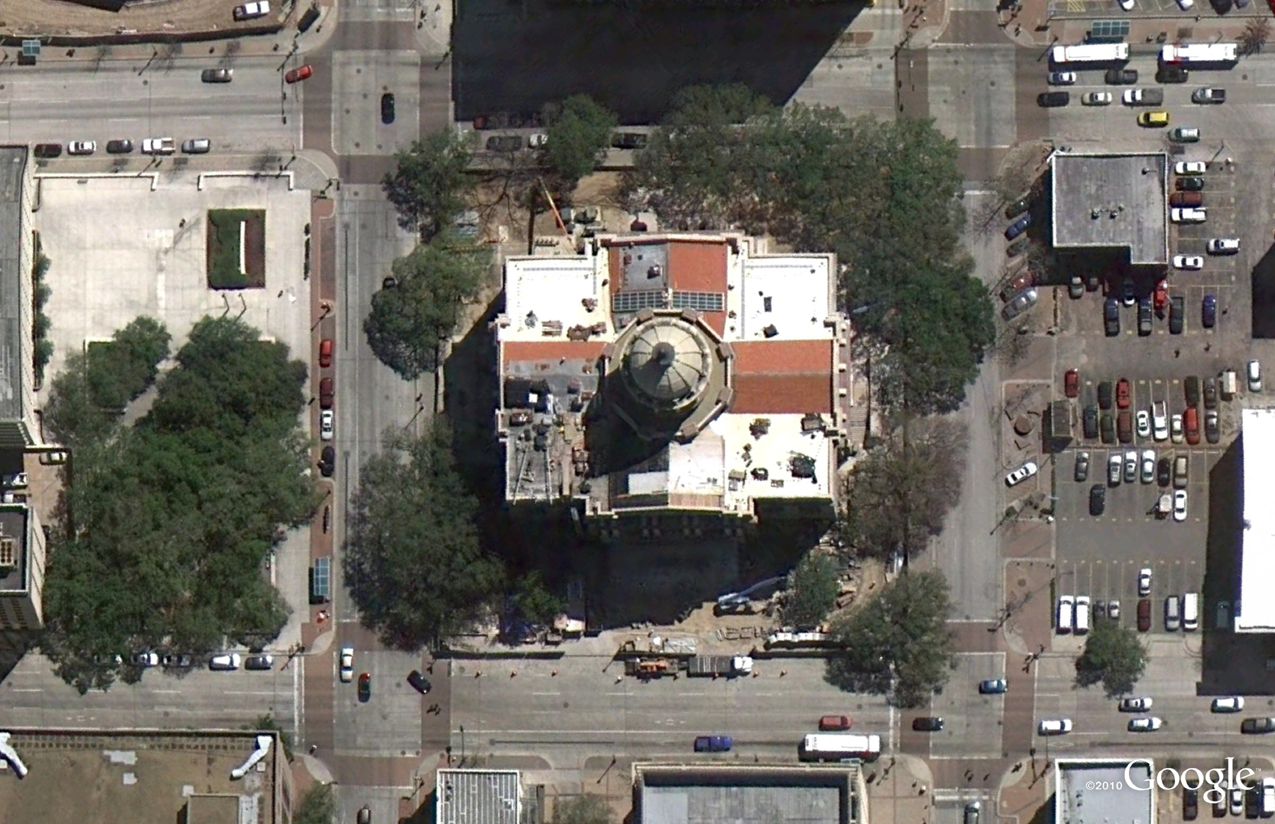
Washington D.C., January 20, 2009. Can you spot where the jumbotrons were installed?
But the feature is more than just what historians deem significant. We built the historical imagery database to enable anyone to see and tell their own personal history. A great example comes from fellow historical imagery engineer Reuel Nash:

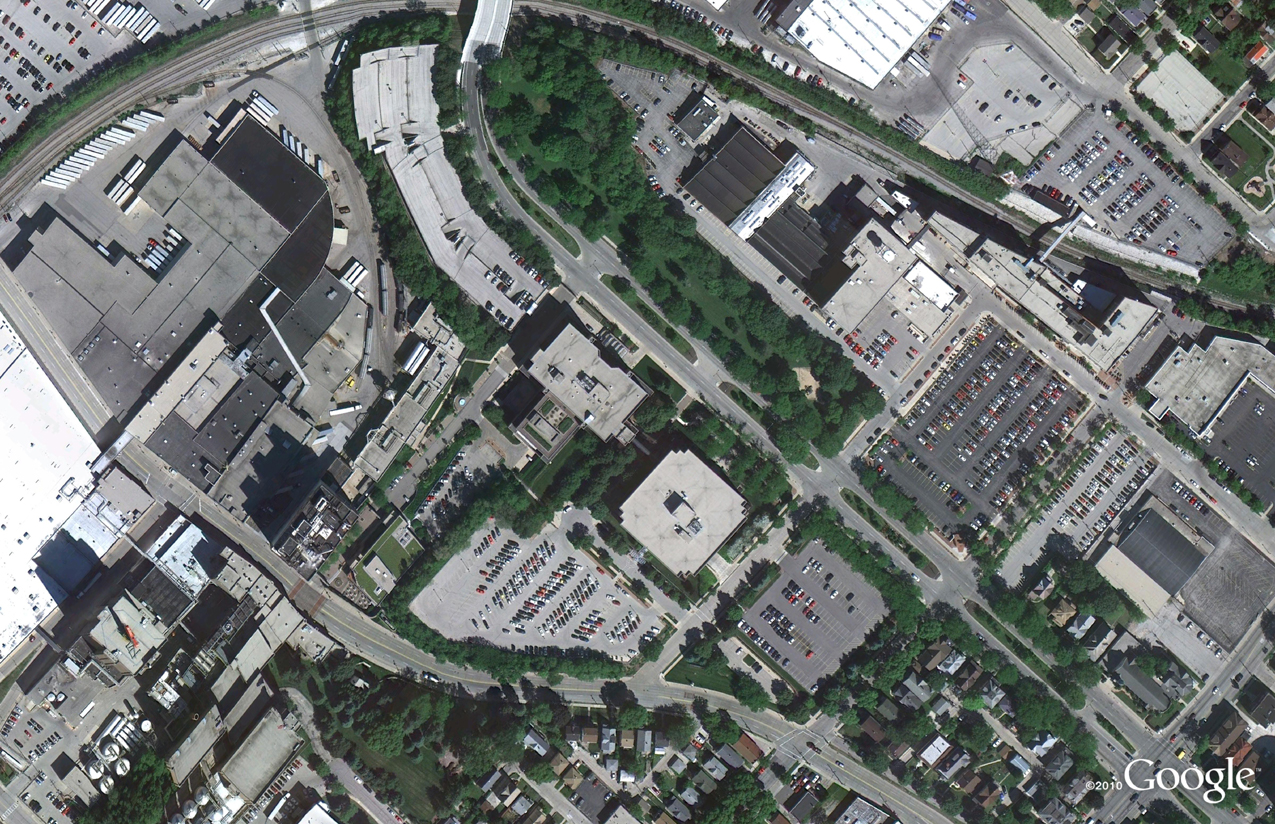
The construction of Terminal D at Dallas/Fort Worth International Airport
We have a vast amount of data in our historical imagery archive, so you’ll be able to tell your own personal stories by browsing those places that are special to you. In fact, we have more square miles of high resolution imagery in our historical imagery archive than in our default view. In the coming years, we look forward to expanding this imagery collection even further. Visit the Historical Imagery Showcase to watch video tours of cities with imagery dating as far back as 1940.
Posted by Chris Co, Google Earth Software Engineer

In 1979, my wife and I spent the first night of our marriage in a hotel at Dallas/Fort Worth International Airport. It was still there in 1995, which you can see in Google Earth. The hotel and the surrounding area has since been replaced by Terminal D. You can see the terminal construction (and destruction of the hotel) literally from the ground up using historical imagery.

Google Places Verifying Business Listing Discrepancies with Owner

A number of users have sent me copies of a recent email communication that Google Places is sending to claimed business where there is possible problem with the listing. The emails detail potentially conflicting information with the listing when compared to information that Google has about the business in the “cluster”.

In one email example sent to the owner of a merged record, Google suggested a category that Google thought was more appropriate. The category was obviously for the other business in the merge and was inappropriate for this business. It was fascinating that Google was not accepting on face value the categories entered by the business owner.

In another example noted in the forums, Google couldn’t verify the street address that the business was using, perhaps because of the improper abbreviation of the word terrace. Google noted:

You provided:   20814 Houseman terr, Ashburn VA 20148, United States
Google was unable to identify the correct physical address for this business. This address is required for verification. Please edit your listing, and add the real, physical address. You can later choose to hide it from your Place Page, if your business doesn’t have a storefront or office.

Here is the copy of the email I received this evening for a listing that I manage:

Please review your listing

Hello from Google Places,

To help people searching for businesses like yours, Google is always working to improve the accuracy of local business listings. While reviewing your Places listing for Sundahl & Co Insurance, we found that this business may be permanently closed.

Is this place closed?

Sundahl & Co Insurance
58 Derrick Rd.
Bradford PA 16701
United States

Please log in to your Places account and let us know if this business is still open. If we don’t hear from you before January 31, 2011, we may remove this listing.

Thank you,

The Google Places Team

© 2010 Google Inc. 1600 Amphitheatre Parkway, Mountain View, CA 94043

Email Preferences: You have received this mandatory email service announcement to update you about important changes to your Google Places product or account.

The email is a refreshing effort to verify discrepancies with the cluster BEFORE a drastic, business affecting change takes place. It is also an effort to align the content of the Places page with Google’s best known information about the Place.

In my case, there has been a persistent record popping up for the business at their old address which was marked as closed. It is possible that the information from the old address, although closed, merged into the cluster for the current listing. Google’s misunderstanding in the situation is understandable.

This new outreach allows Google to double check information in the cluster against the person or people best able to suggest its accuracy… the business owners. It is a welcome step and one that should minimize improper closings, mergings and other errors and use owner provided data at lest when Google trusts the owner’s input.

Props to Google Places!

Here are the screen shots from the process of providing Google from the owner’s point of view…

Appears at the top of the Places List view:

The individual record is highlighted:

When the “Review and Correct” link is chosen it takes you to this screen:

This shows up at the end of the edit session: