The World Wonders Project


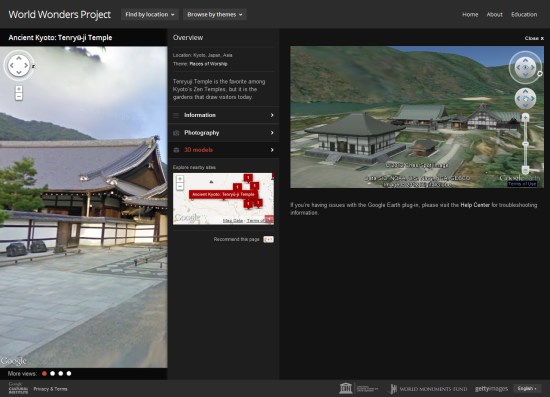
There are a lot of amazing sites around the world, and thanks to Google’s various technologies such as Street View and Google Earth they’re easier to explore than ever. Google has now taken 132 historic sites from around the world and put them together into a single showcase called the World Wonders Project.


world-wonders.jpg 

The project covers major sites that we all know about, such as Stonehenge and Pompeii, and also covers lesser-known sites that are quite amazing, such as the Historic Villages of Shirakawa-go and Gokayama. This video shows a bit more about how it works:


The sites all include Street View imagery (much of which was captured using a Street View Trike), photos, videos, and 3D models in Google Earth.

Street View: Ski and snow

From the streets to the slopes, Street View in Google Maps recently updated its special collections to include a number of new ski resorts, so you can tour some of the world’s most beautiful ski terrain right from your browser. Whether you’re planning your annual trip to your favorite resort or hunting for an exciting new adventure, Street View can transport you to your desired destination. Tour a few of our favorite ski resorts below.

First stop off the ski lift is the world famous Squaw Valley, in northern California. Squaw Valley has been a ski destination since it hosted the Olympic Winter Games in 1960.
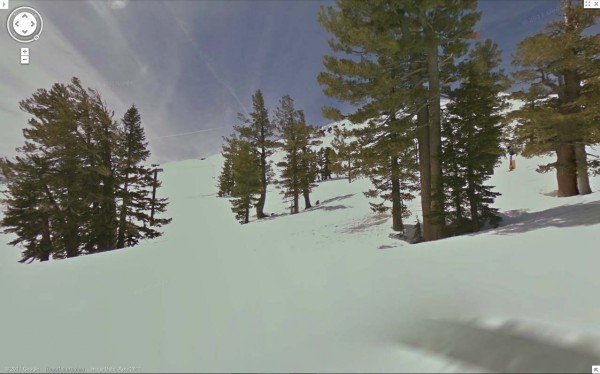
Squaw Valley Resort – Going down Gold Coast Face

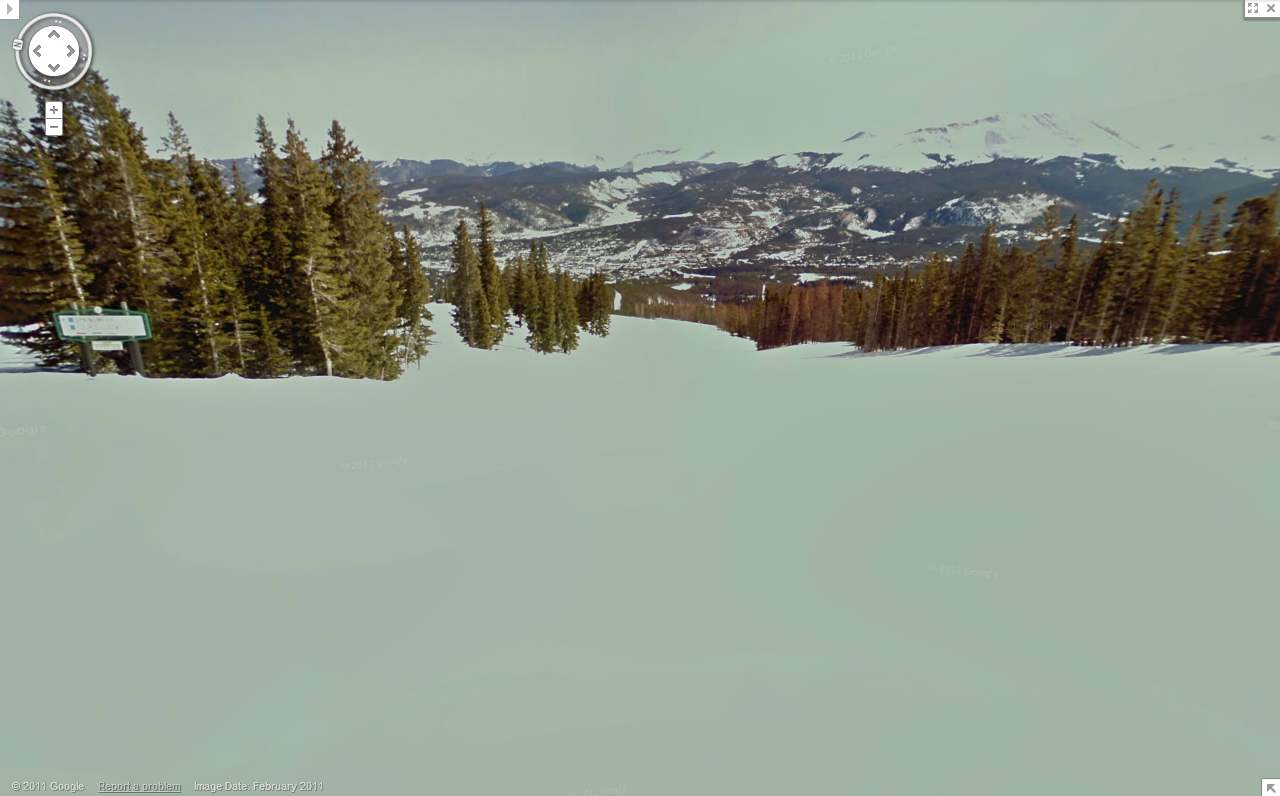
Following a record setting 519 inches of snowfall last season, Breckenridge Ski Resort is celebrating its 50th anniversary this year. Take a tour of this famous Colorado destination.
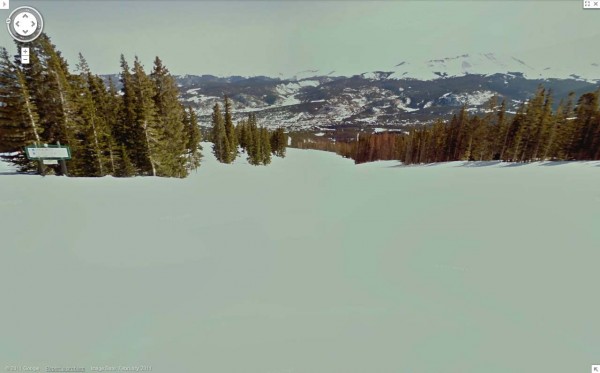
Breckenridge Resort, Looking down Four O’Clock

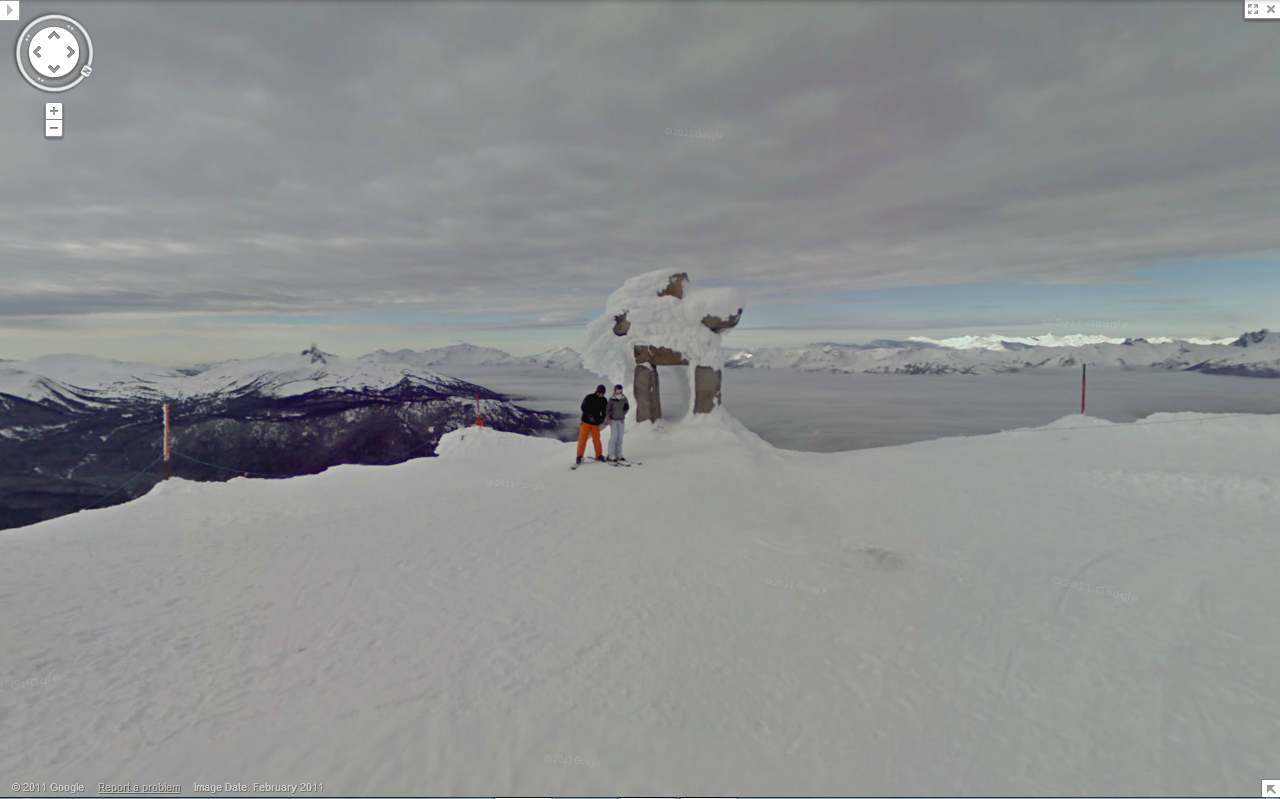
Last, but surely not least, you can tour Whistler Blackcomb, home of the 2010 Winter Olympics. We captured Whistler with our Street View cameras last year and made some recent updates. Located in the Coast Mountain range of British Columbia, Whistler, known for both its scenery and adrenaline-pumping runs, is one of the most famous ski destinations in the world.
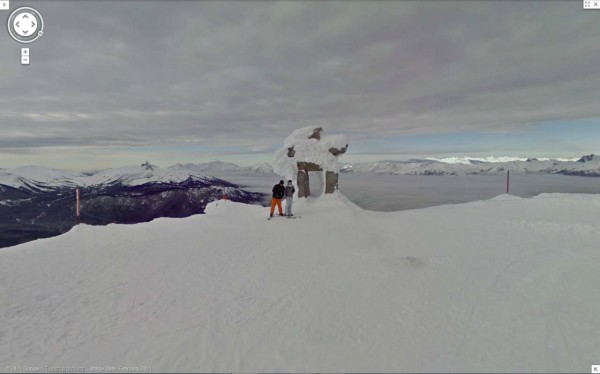
Whistler Blackcomb, Whistler Peak

All snow view imagery was captured by the Street View snowmobile which made its debut two years ago at the Winter Olympics in Vancouver. To get a glimpse of a few more resorts you can go to the gallery or watch the video:

Whether you’re a snowbird, a beach bum, an urban adventurer or something else entirely, there’s something for everyone in our growing set of Street View collections. To see some of our favorite special collections, visit the Street View gallery.
Map Maker: from Afghanistan to Antarctica

Google Map Maker enables local experts to create maps and share their local knowledge with the world. These citizen cartographers help keep maps of their areas accurate and up to date. They add missing roads and new businesses—and even map areas that have little to no data yet on Google Maps.

Today, our latest crop of countries, territories and an entire continent are graduating from Map Maker—meaning the user-generated maps of these countries will now appear on Google Maps: Afghanistan, Antarctica, Ecuador, Georgia, Guatemala, Heard Island and McDonald Islands, Honduras, Iraq, Norfolk Island, Saint Pierre & Miquelon and Saudi Arabia.

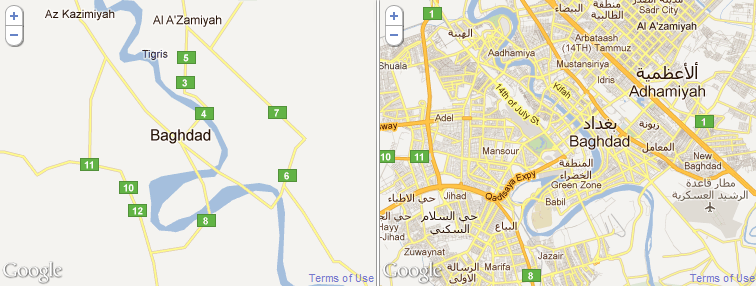
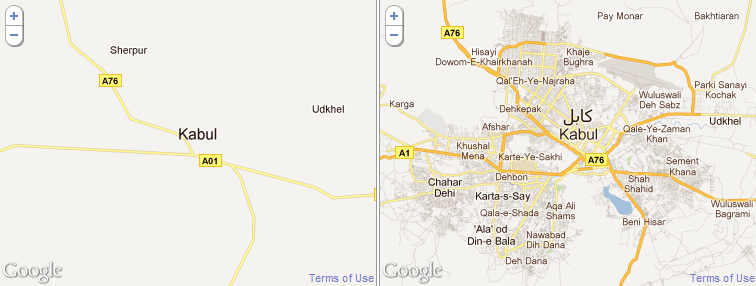
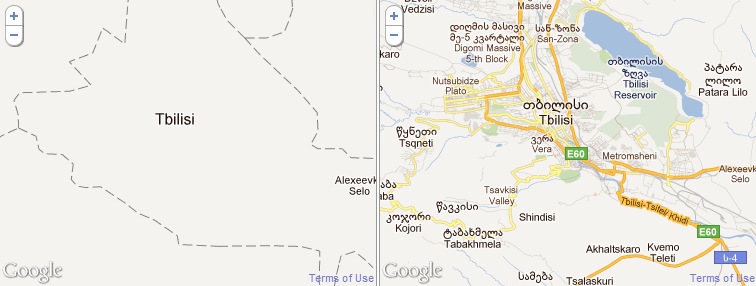
Here are some before and after pictures that highlight how much detail Map Maker users have added to Google Maps for these regions (as well as some time-lapse videos):

Baghdad, Iraq

Kabul, Afghanistan

Tbilisi, Georgia

Each region has an impressive mapping story—from the Georgian Government’s initiative to improve their country’s map, to the group led by six students in Herat, Afghanistan who mapped their entire city in a matter of weeks.

Thank you to the Google Map Maker contributors who create better maps for these regions and others; their ongoing efforts can be seen at Map Maker Pulse. We encourage all local mappers to continue improving the maps of these areas and the more than 180 other regions of the world on Google Map Maker.

Google Wallet: Working with Visa, American Express

In May we announced Google Wallet—an app that makes your phone your wallet—with Citi, MasterCard, Sprint and First Data. With Google Wallet, you can tap, pay and save using your phone and near field communication (NFC).

We’ve been testing it extensively, and today we’re releasing the first version of the app to Sprint. That means we’re beginning to roll out Google Wallet to all Sprint Nexus S 4G phones through an over-the-air update—just look for the “Wallet” app. Here’s a demo of Google Wallet in action:

Google Wallet enables you to pay with your Citi MasterCard credit card and the Google Prepaid Card, which can be funded with any of your existing plastic credit cards. As a thanks to early adopters, we’re adding a $10 free bonus to the Google Prepaid Card if you set it up in Google Wallet before the end of the year.

When we announced Google Wallet, we pledged a commitment to an open commerce ecosystem. We appreciate Citi and MasterCard for being our launch partners. And today, Visa, Discover and American Express have made available their NFC specifications that could enable their cards to be added to future versions of Google Wallet.

Our goal is to make it possible for you to add all of your payment cards to Google Wallet, so you can say goodbye to even the biggest traditional wallets. In fact, we’ve got a video of our first customer, someone who is ready to replace his famously over-stuffed wallet. We hope Google Wallet gives him “serenity now.”

This is still just the beginning and while we’re excited about this first step, we look forward to bringing Google Wallet to more phones in the future. You can learn more about Google Wallet at google.com/wallet.

Latitude API

With the recent addition of OAuth 2.0 support for the Latitude API, it is now easier than ever to start writing applications that utilize users’ location history or current location if they have opted in to sharing this information.

This post includes some examples of how you can use the powerful Latitude API to make compelling location-based applications.
Location History
There are many interesting ways you can use location history to create an interesting app. For example, Latify shows my location history on my Android phone so I can easily keep track of where I’ve been. You can use location history to answer questions like “Where was I on September 17th?” or you can analyze location history to show interesting stats. You can also export location history to Google Fusion Tables.
The possibilities expand when you use location history in conjunction with other data sets. For example, you can show location history lined up with transaction history, RSS feeds, or photo albums so users can see exactly where they were for a particular purchase, news event, or photo.
Current Location
The Latitude API allows you to access a user’s current location from a mobile device or a web server. For example, Moveable Weather allows users to call a phone number that tells them the weather based on their current Latitude location.
If you’re writing a mobile group messaging app, you can use the Latitude API to let users opt in to location sharing, allowing everyone in the group to see everyone else’s current location, without needing any location logic in your app.
These are just a few examples of the features of the Latitude API, which also includes storing location history, accessing city level location, and deleting location history. Check out the documentation to get started, or try browsing featured applications to get an idea of what you can build.